Online forms that replace fillable PDFs
Permits, applications, sign-ups and requests: build them with steps and conditions, route them to the right department, collect fees and keep records on your schedule.
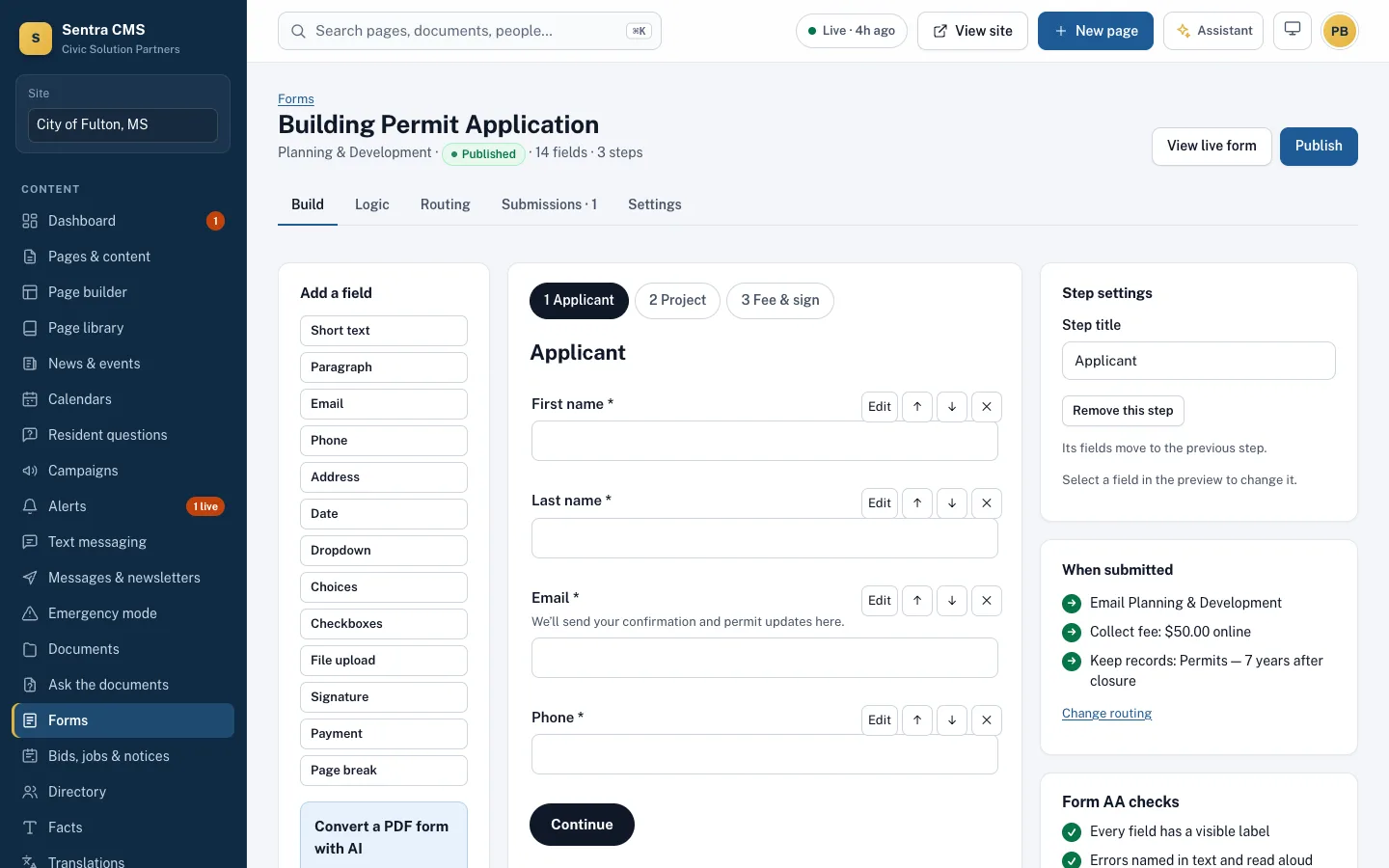
What it looks like on a normal day
- When
A contractor applies for a building permit
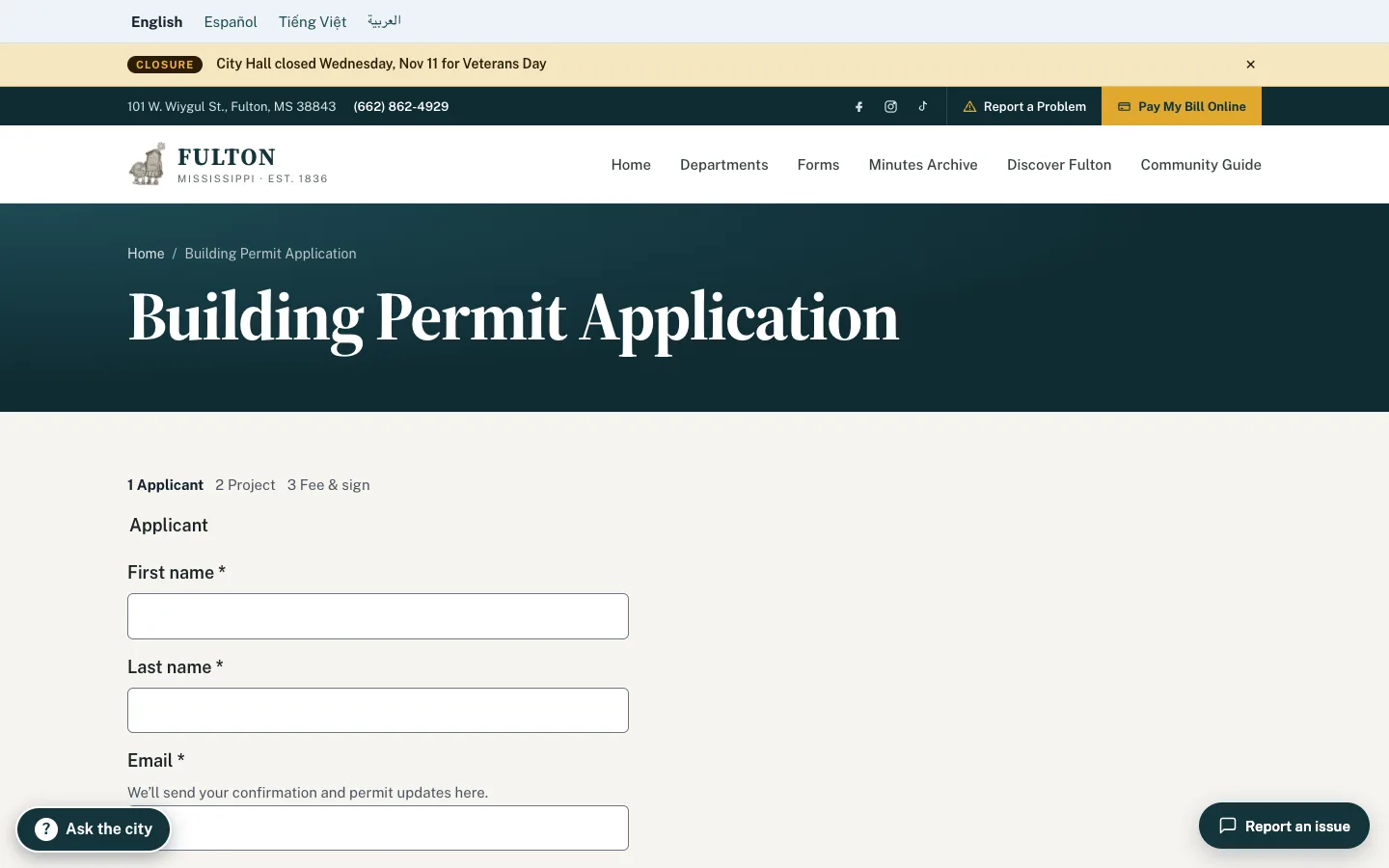
ThenThree-step form, plans uploaded, $75 fee paid by card into the city’s Stripe account, reference number emailed.
- When
The answer to “Is this a commercial property?” is Yes
ThenThe commercial questions appear; residential applicants never see them.
- When
A resident reports a broken streetlight through a form
ThenIt becomes a Sentra 311 case automatically and the crew sees it.
- When
Planning still has a 2018 fillable PDF
ThenThe AI converts it into an online form draft for staff to review.
Accessible by default
Every field has a visible label. Errors are named in text and read aloud, choice groups use proper fieldsets, and there’s no puzzle CAPTCHA or time limit.
- Short text, address, date, choices, file upload, signature and payment fields
- Show a field only when another answer matches
- Convert an old fillable PDF into an online form with AI
Submissions go where they need to
Email the department, create a Sentra 311 case, collect a fee through your own Stripe account, and keep or delete records on a schedule.
- Reference numbers and confirmation emails
- Residents check status with their reference number
- Free or paid event tickets with capacity limits and a check-in list
Questions
Do you process payments?
Fees and event tickets are paid into your city’s own Stripe account; card details go to Stripe, never to Sentra CMS. You can also link to an existing payment portal instead.
Related features
Public records requests
Intake, legal deadlines, fees, redaction log and secure delivery — with a public request log if you want one.
Learn more311 & requests (Sentra 311)
Report a problem from any page, track status in My City, and spot content gaps from real requests.
Learn moreDocuments & PDF check
Every upload is checked. Failing PDFs are held, fixed with SentraCheck, or turned into web pages.
Learn moreSee Sentra CMS with your own website
We’ll scan your current site for free, then show you what it looks like on Sentra CMS, accessible from day one.