The right people, the right pages, and a record of everything
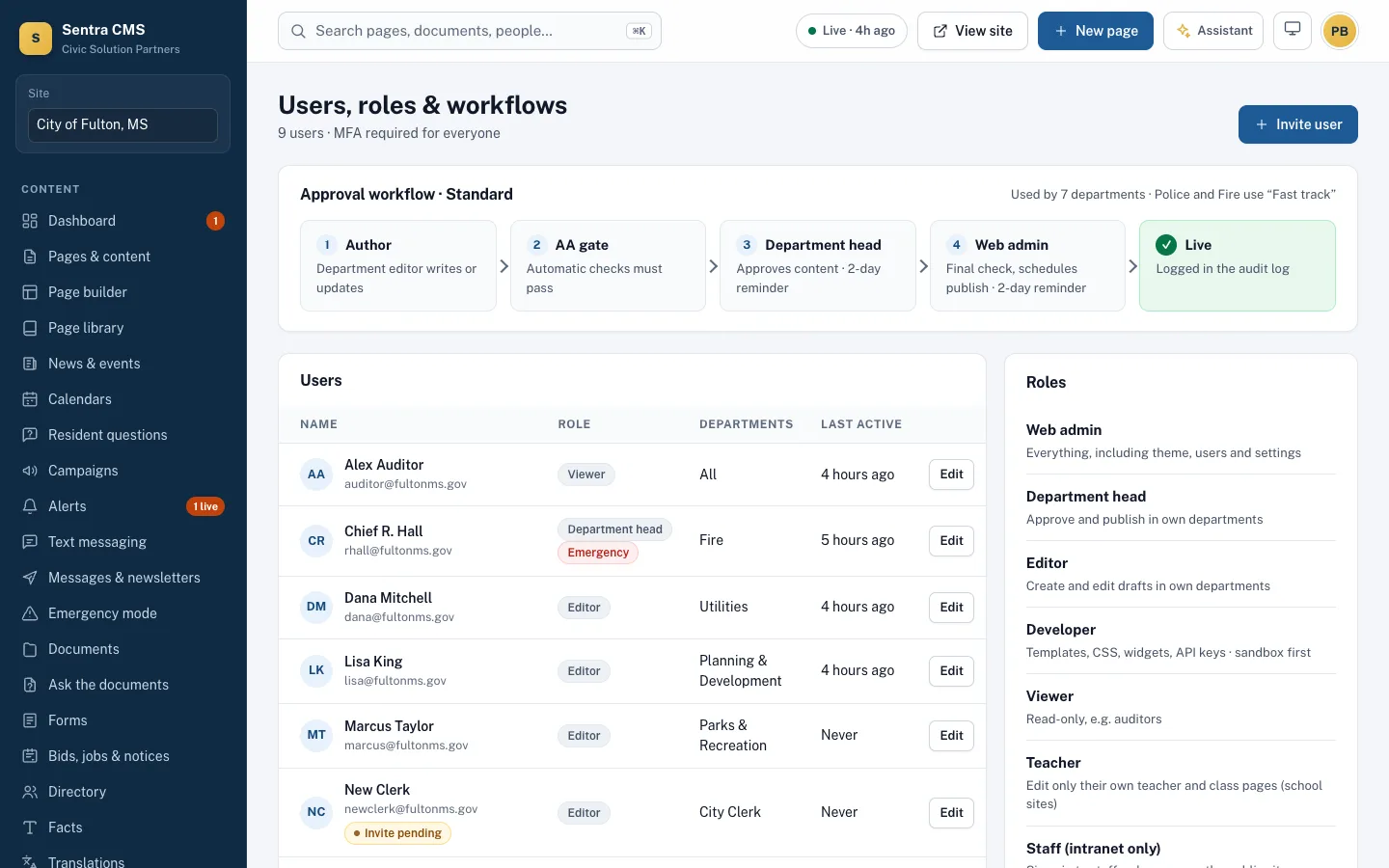
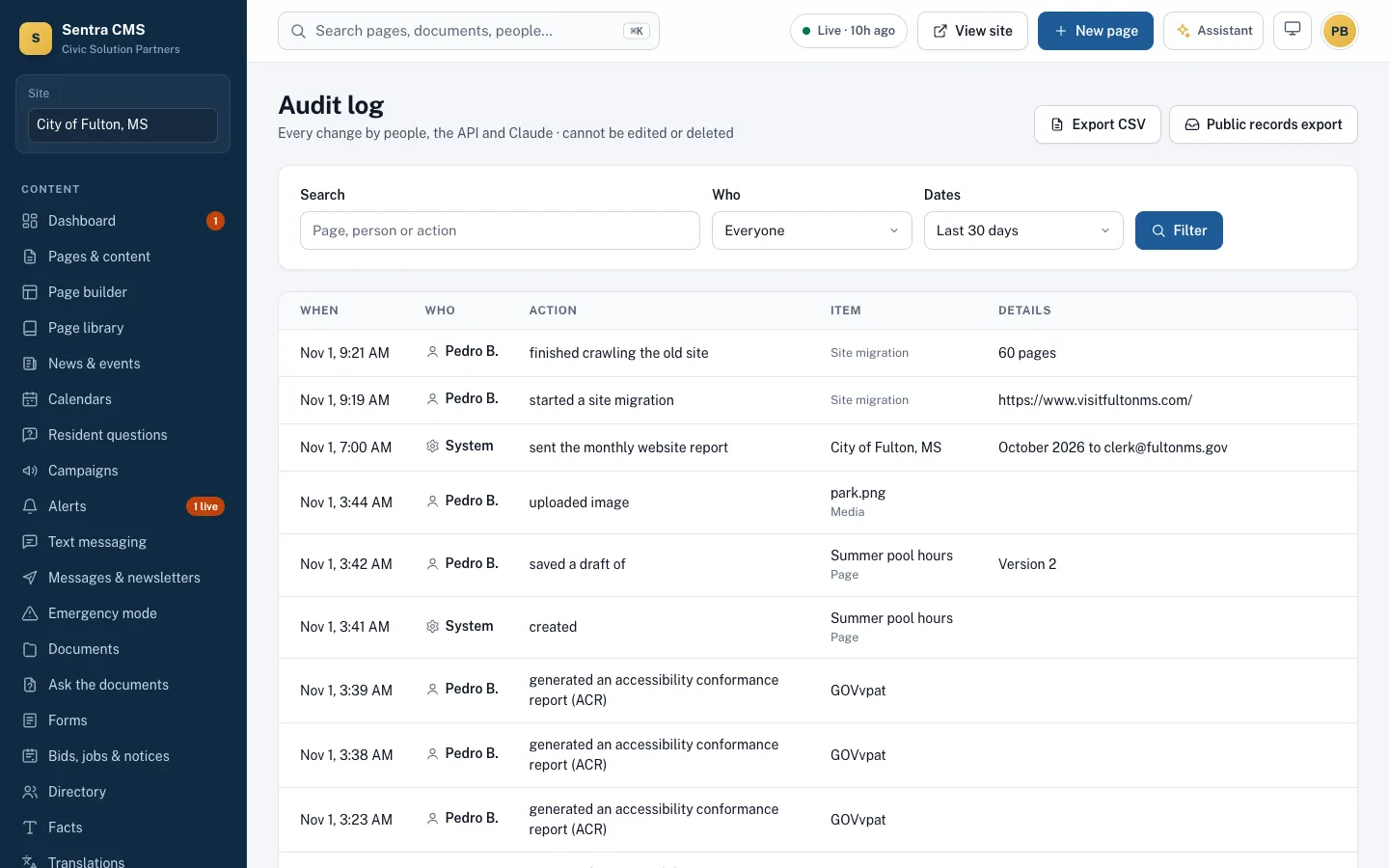
Roles limit editors to their departments, approval workflows decide who publishes, and every person signs in with two-factor authentication. Every change — by a person, an API key or the assistant — is in an audit log that can’t be edited.
What it looks like on a normal day
- When
A Utilities editor finishes a news post
ThenIt goes to the Utilities department head with checks already passed; one click approves it.
- When
A new hire signs in with her city Microsoft account
ThenMicrosoft Entra ID handles sign-in and MFA; she lands with the Editor role for her department.
- When
Someone asks “who changed the fee page?”
ThenThe audit log shows who, when and what — and the version history restores the old text.
Approvals per department
Editors submit, department heads approve, web admins see everything. Each item shows its step, who submitted it and whether checks passed.
- Web admin, department head, editor, developer, viewer and Emergency roles
- Scheduled publish and unpublish dates
- Version history with compare and restore

Security your auditors will like
Two-factor sign-in for everyone, single sign-on with Microsoft Entra ID, Google Workspace or Clerk, and an append-only audit log of every action.
- Idle sign-out and an optional network allowlist
- API keys scoped to drafts, menus or alerts
- Encrypted secrets and nightly backups
Questions
Who owns our content?
You do. Export everything at any time; with Git publishing your site already lives in your own repository.
Can we use our Microsoft 365 accounts?
Yes. Single sign-on works with Microsoft Entra ID and Google Workspace; staff accounts can be created automatically for your email domains.
Related features
Accessibility enforcement
A WCAG 2.1 AA gate on every publish, nightly health scans, ADA Title II readiness and an ACR/VPAT on request.
Learn moreTemplates & Git publishing
Bring any HTML design. One-click publish to your own Git repository, with preview deploys and hosted fallbacks.
Learn moreStaff intranet & regional sharing
Staff-only pages and announcements on the same site, and alerts and events shared with your county or neighbors.
Learn moreSee Sentra CMS with your own website
We’ll scan your current site for free, then show you what it looks like on Sentra CMS, accessible from day one.