Accessibility that’s enforced, not hoped for
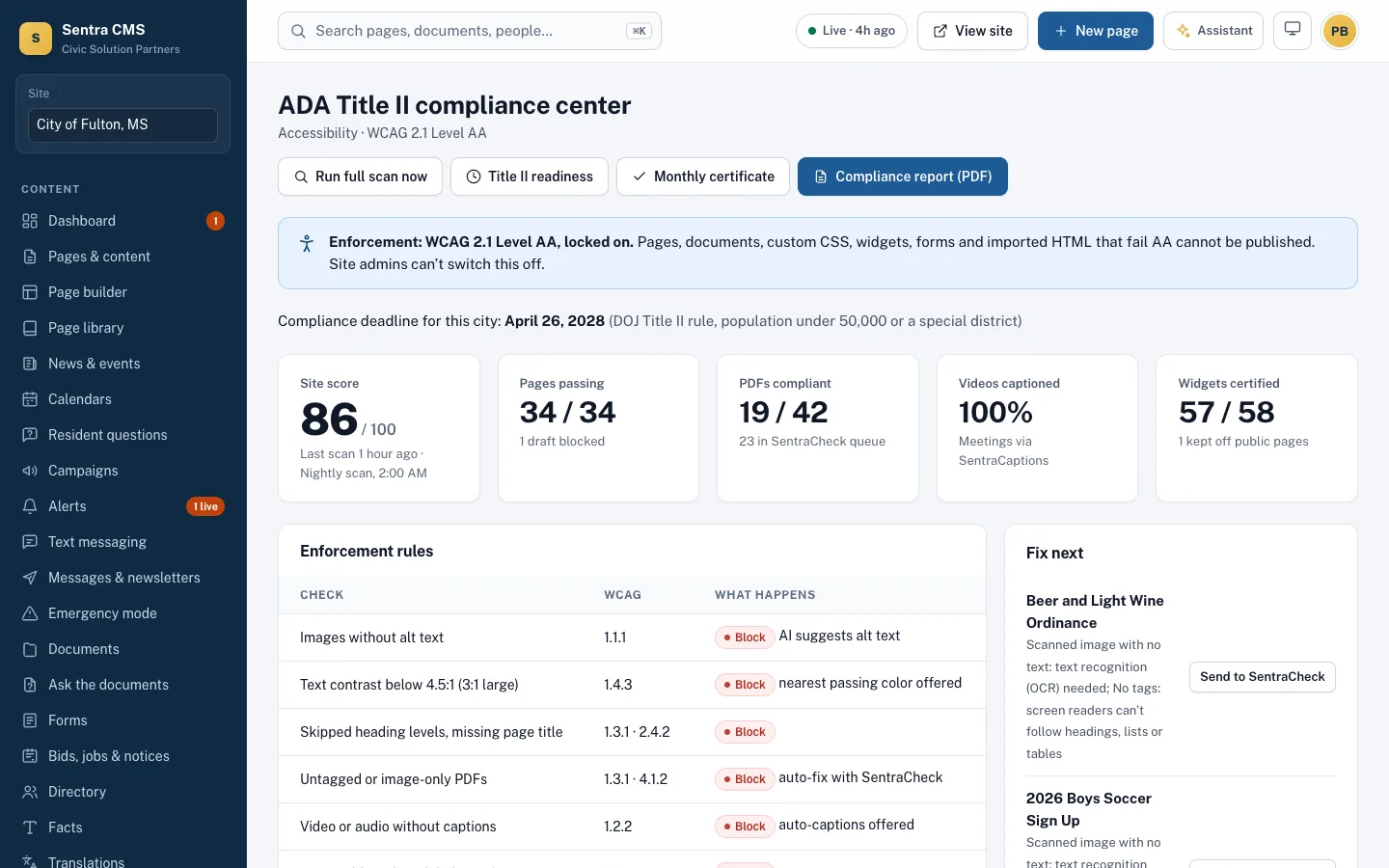
Every page, document, form, widget, theme change and imported template is checked against WCAG 2.1 AA before it can be published. Problems are explained in plain language with a fix.
What it looks like on a normal day
- When
An editor uploads a photo with no alt text
ThenPublish is blocked. The AI suggests a description from the photo; the editor confirms or marks it decorative.
- When
Someone picks light gray text on white
ThenContrast below 4.5:1 is refused, with the nearest passing color offered instead.
- When
A scanned 2019 budget PDF is uploaded
ThenIt’s held as a draft, sent to SentraCheck for repair, or moved to the Title II archive with a request-a-copy link.
- When
Council asks “are we ready for the Title II rule?”
ThenPrint the readiness report: each requirement, its status and the work left, from live site data.
Problems are caught before residents see them
The same checks run in the page builder, through the API and for the AI assistant. Site admins can’t switch the gate off.
- Images need alt text (AI suggests one) or a ‘decorative’ mark
- Contrast, skipped headings, unlabeled fields and autoplay are blocked
- Forms, PDFs and reading level are checked too
- Custom CSS that hides focus outlines is rejected
A readiness checklist tied to the rule
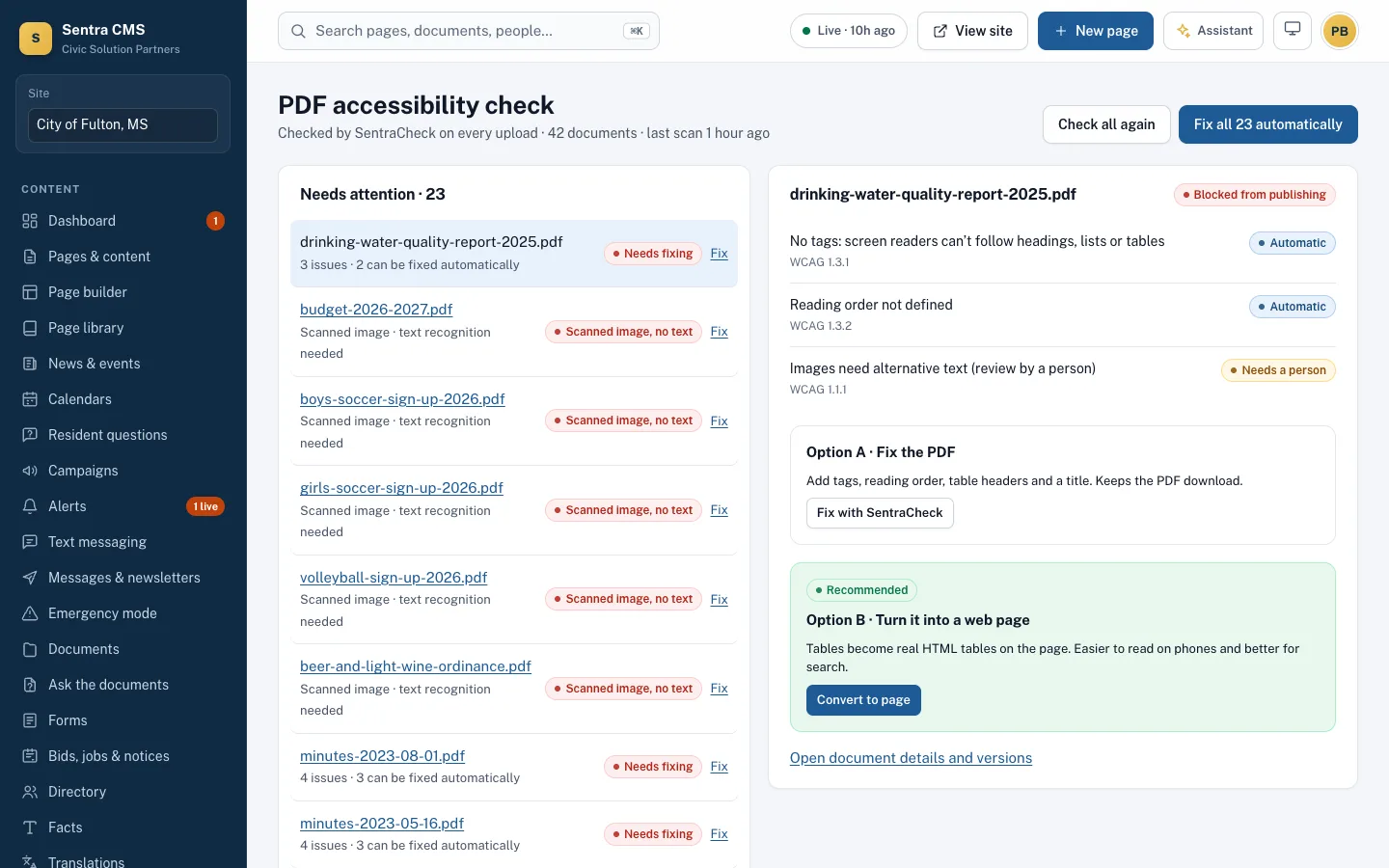
Every requirement of the DOJ rule (28 CFR part 35, subpart H) with its live status, the days left to your compliance date, and an archive for old content the rule lets you keep.
- Archive with the exceptions the rule allows, clearly marked
- Readiness report for council, printable
- Dates follow your population and the April 2026 extension
An Accessibility Conformance Report from your own site
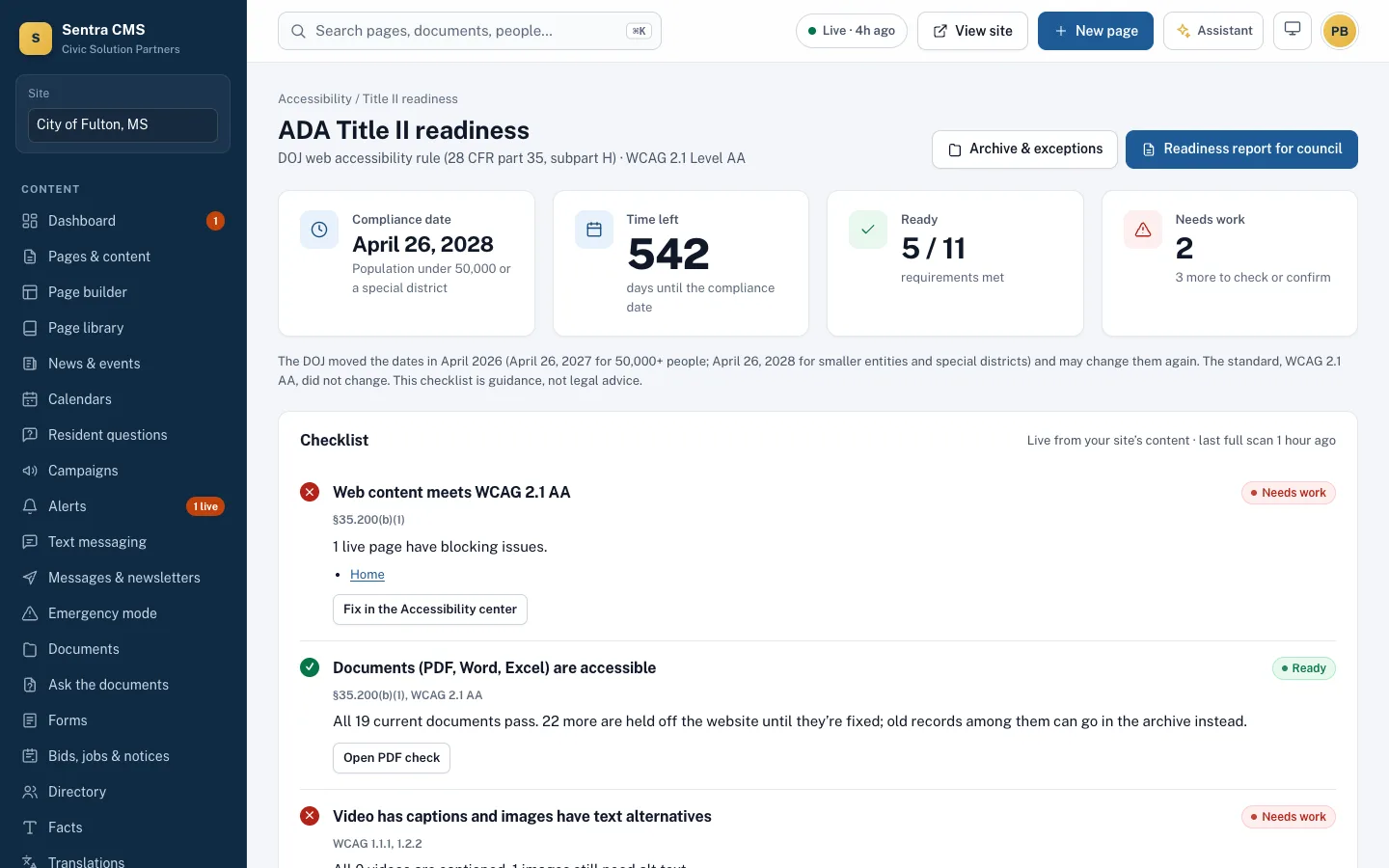
Sentra CMS drafts an ACR in the VPAT® 2.5 format from the latest scan, criterion by criterion. Send it to GOVvpat for expert review before procurement or an audit.
- Nightly site health scan of every published page
- Score history, monthly report and a council certificate
- Public accessibility statement and feedback inbox
Questions
Does automated checking catch everything?
No automated tool catches every barrier. Sentra CMS blocks the problems machines can find reliably and marks the rest ‘Not evaluated’ in the ACR: we recommend a manual keyboard and screen reader check before launch, and we include one in migrations.
Which standard do you check against?
WCAG 2.1 Level AA, the standard named in the U.S. Department of Justice’s 2024 ADA Title II rule for state and local government websites.
Do you provide a VPAT?
Sentra CMS generates an Accessibility Conformance Report (VPAT® 2.5 format) for your site from live scan data. GOVvpat, our sister product, offers expert review.
Related features
Documents & PDF check
Every upload is checked. Failing PDFs are held, fixed with SentraCheck, or turned into web pages.
Learn moreOnline forms & payments
Accessible forms with steps, conditions, routing, file uploads and fees paid into your own Stripe account.
Learn moreRoles, approvals & security
Department roles, approval workflows, MFA, Microsoft or Google sign-in, version history and an append-only audit log.
Learn moreSee Sentra CMS with your own website
We’ll scan your current site for free, then show you what it looks like on Sentra CMS, accessible from day one.