Search that answers the question
Residents search the way they talk. Sentra CMS searches pages, documents, meeting minutes, forms and FAQs, shows a short answer with sources, and tells you what people couldn’t find.
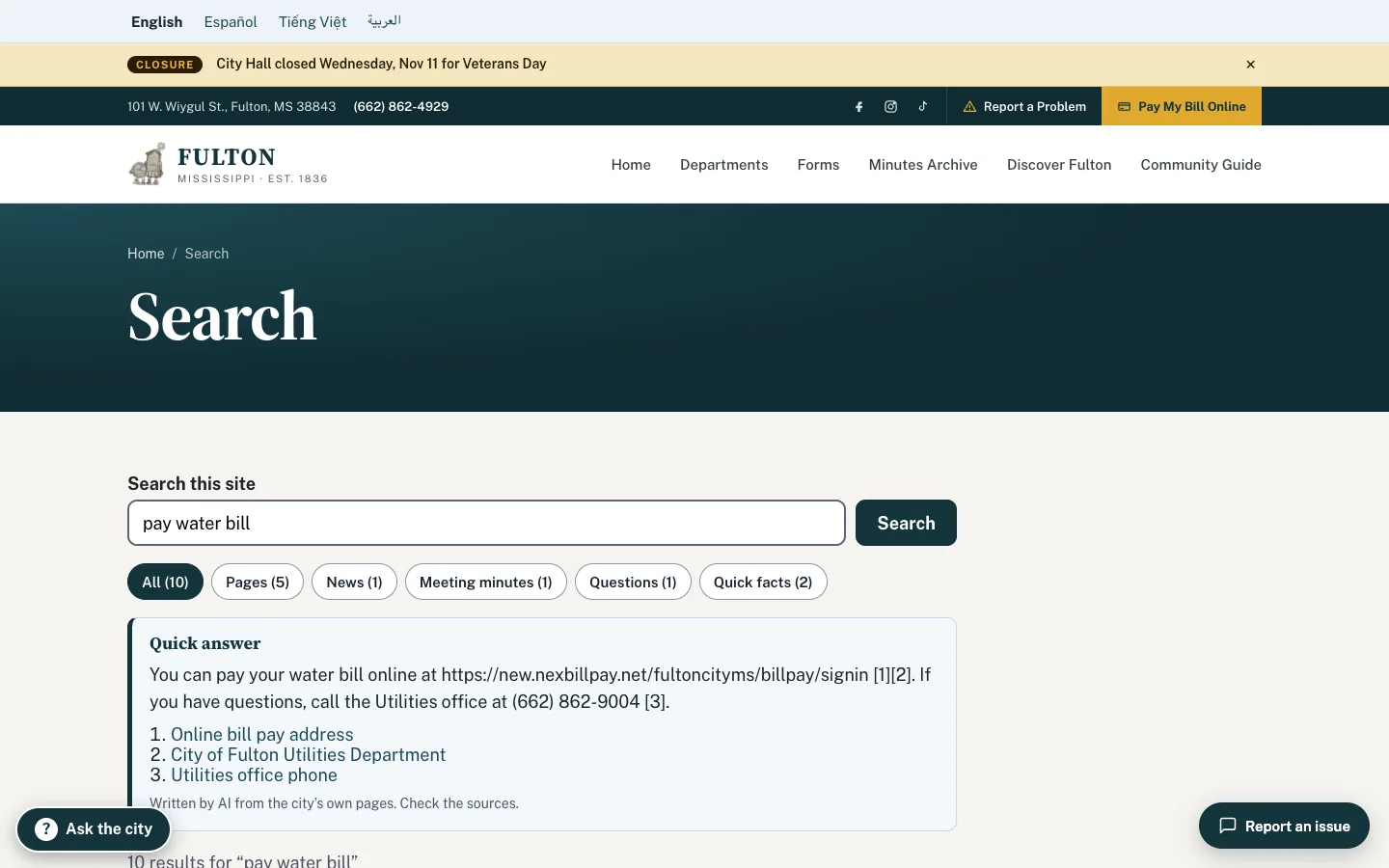
What it looks like on a normal day
- When
A resident types “pay water bill”
ThenA short answer with the bill-pay link on top, then pages, documents and minutes that mention it.
- When
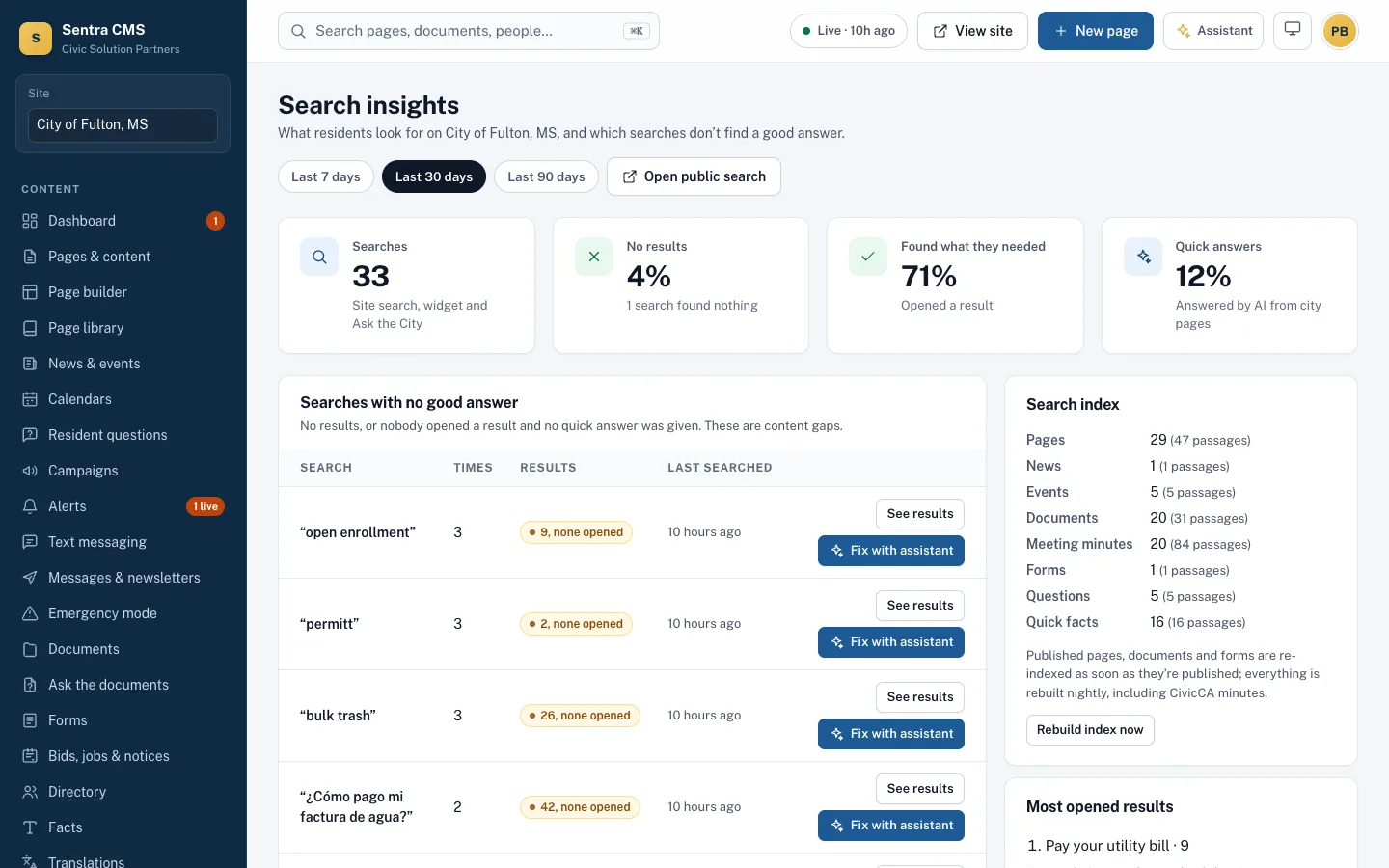
“Dog park hours” got 40 searches and no good result
ThenIt tops the insights report, so you know which page to write next.
Searches with no good answer
Every search is logged without personal data. The insights report lists the questions your site doesn’t answer, so you know which page to write next.
- English, Spanish and your other site languages
- The resident assistant uses the same index
- Search Console data alongside your own
Questions
Does search use AI?
Results come from a full-text index. When an AI key is configured, a short answer with citations appears above the results.
Related features
AI assistant & content advisor
A staff assistant that only drafts, “Ask the city” for residents (answers only from your site, routes the rest), and a content advisor.
Learn moreResident portal (My City)
Address-based answers: ward, trash day, polling place, nearby alerts — plus resident accounts and push notifications.
Learn moreDocuments & PDF check
Every upload is checked. Failing PDFs are held, fixed with SentraCheck, or turned into web pages.
Learn moreSee Sentra CMS with your own website
We’ll scan your current site for free, then show you what it looks like on Sentra CMS, accessible from day one.