Accessibility that’s enforced on every publish
WCAG 2.1 AA isn’t a project you finish once. Sentra CMS checks every change before it goes live — so a site that’s fixed stays fixed.
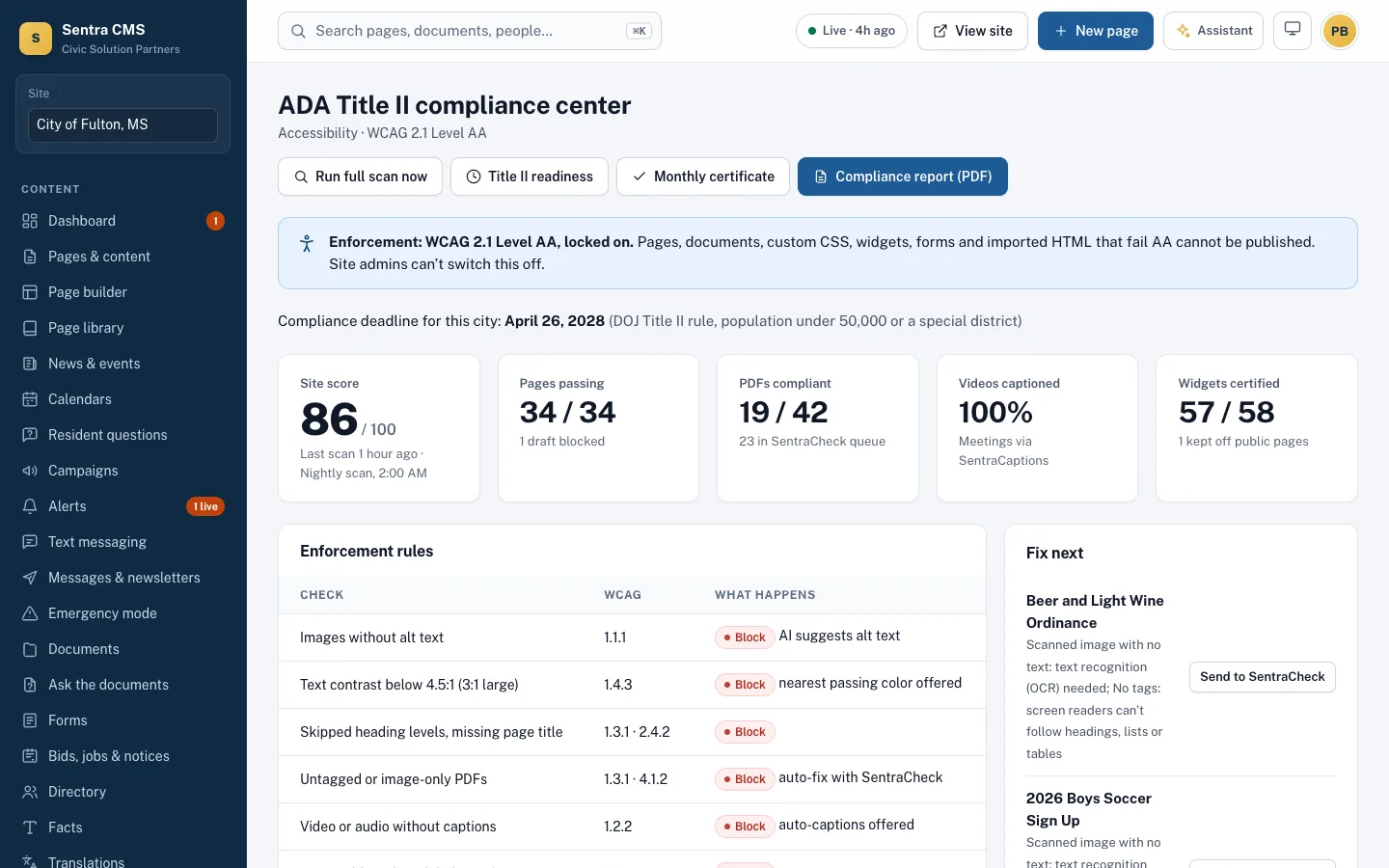
ADA Title II web rule: state and local governments, including school districts, must meet WCAG 2.1 AA — April 26, 2027 for 50,000+ people and April 26, 2028 for smaller governments and all special districts, after the Justice Department’s April 2026 extension. Dates could change again; the standard did not.
Read our guideEvery change passes the AA gate
The same gate runs for editors, the API, the AI assistant and imported templates.
- Editor
Edit
An editor changes a page, uploads a PDF or adds a widget.
- Automatic
AA gate
WCAG 2.1 AA checks run automatically. Problems are explained with a fix.
Blocks failures - Your workflow
Approve
The department head, then the web admin, approve — or publish directly if allowed.
- Live
Publish
The page goes live and is committed to your repository.
- Every night
Nightly scan
Every published page is rescanned; your score and report update.
What’s checked
| Check | WCAG | What happens |
|---|---|---|
| Images without alt text | 1.1.1 | Blocked · AI suggests alt text |
| Text contrast below 4.5:1 (3:1 large) | 1.4.3 | Blocked · nearest passing color offered |
| Skipped heading levels, missing page title | 1.3.1 · 2.4.2 | Blocked |
| Untagged or image-only PDFs | 1.3.1 · 4.1.2 | Blocked · fix with SentraCheck or convert |
| Video or audio without captions or transcript | 1.2.2 | Blocked |
| Form fields without labels | 3.3.2 | Blocked |
| CSS that removes the focus outline | 2.4.7 | Blocked · CSS rule rejected |
| Auto-playing motion without pause | 2.2.2 | Blocked |
| Frames without a title | 4.1.2 | Blocked |
| Vague link text (“click here”) | 2.4.4 | Warning · rewrite suggested |
| Reading level above grade 8 | Best practice | Warning · plain-language rewrite |
Evidence for council, auditors and residents
A monthly compliance certificate, a printable report, scan history for a year, and an accessibility statement with a feedback form.
- Nightly scan of every published page
- Feedback and alternate-format request inbox
- VPAT/ACR support through GOVvpat
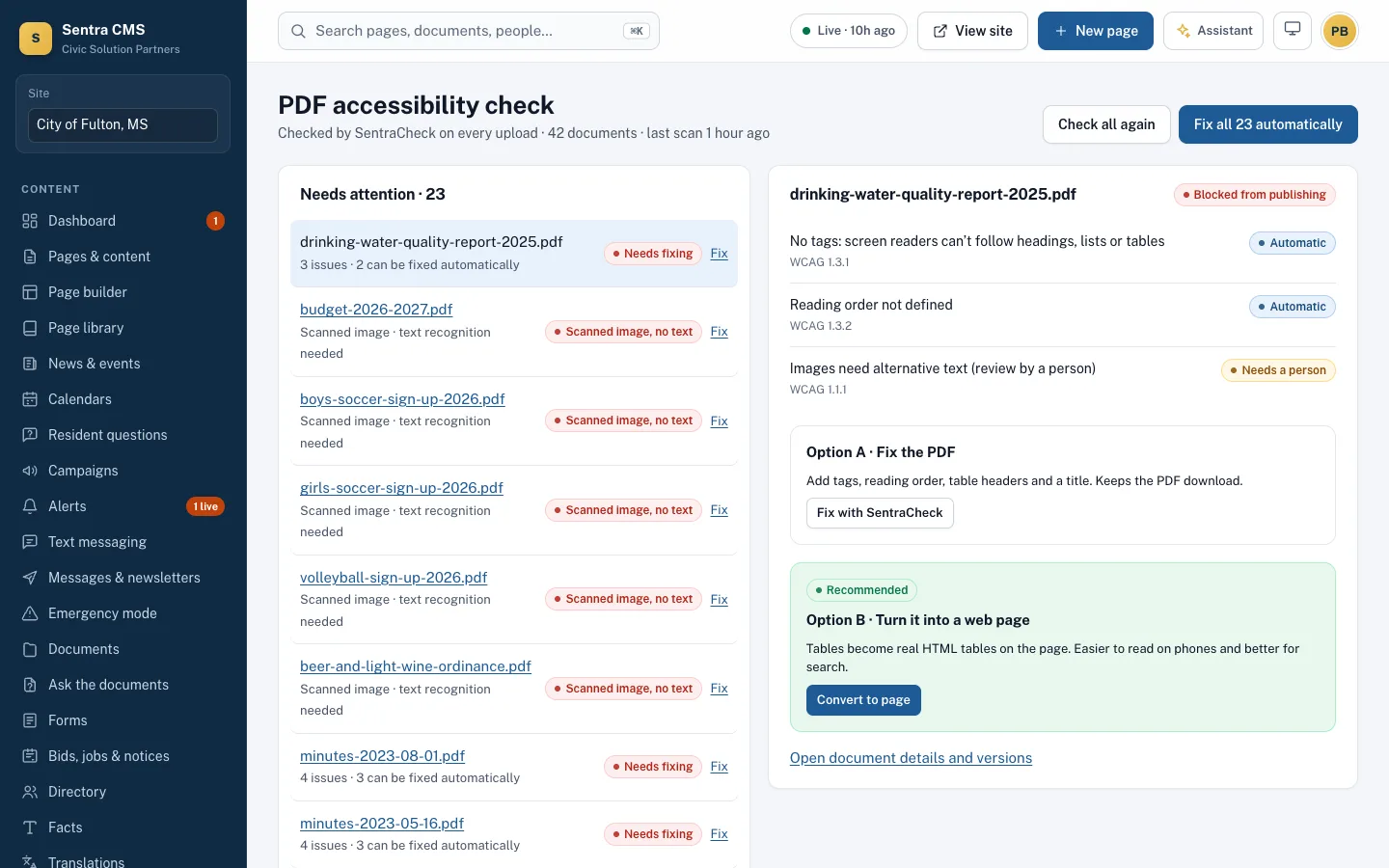
PDFs, handled
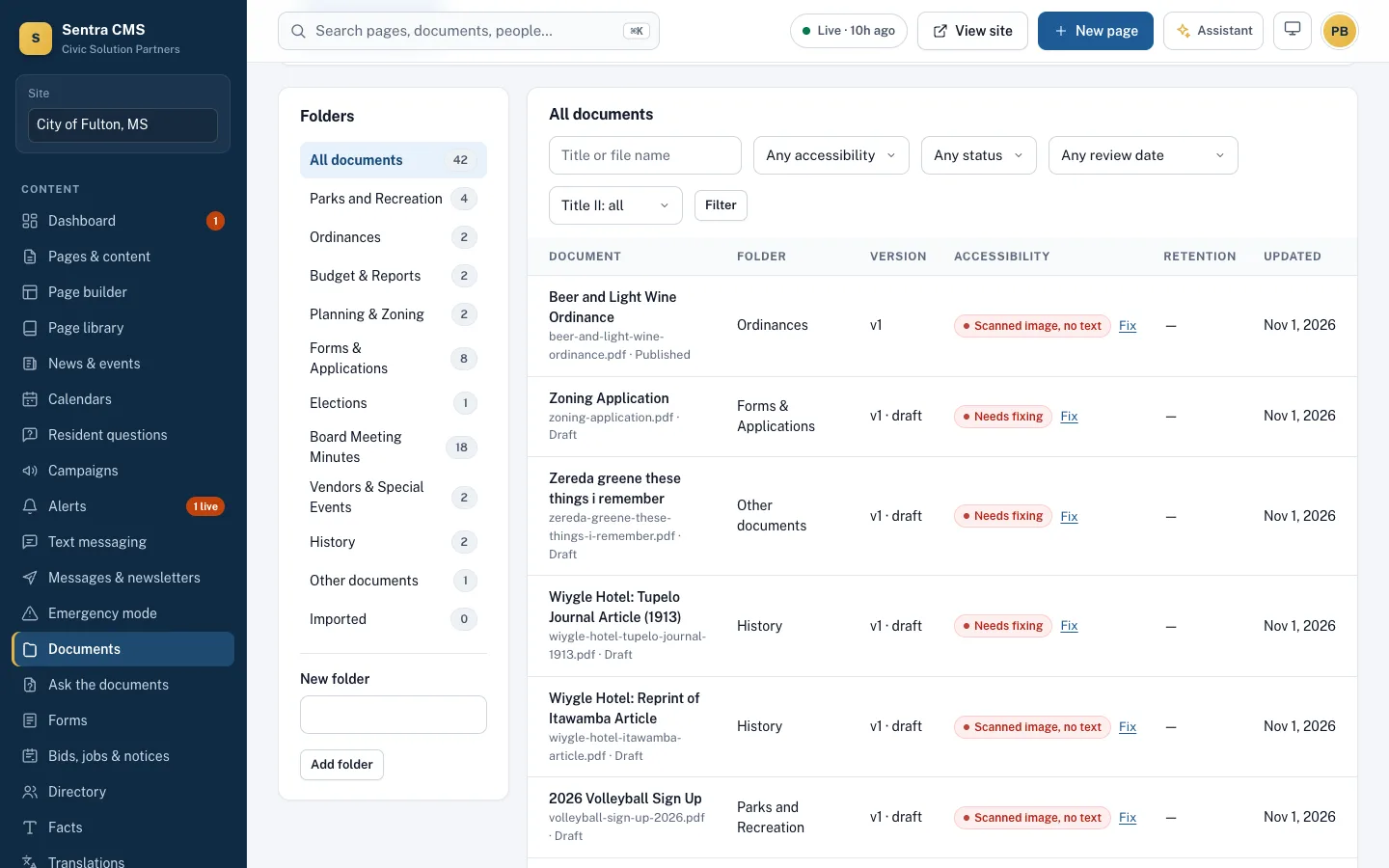
Every upload is checked for tags, a text layer and a title. Fix it with SentraCheck, or turn it into a proper web page in one click.
- Failing files stay in draft
- Residents can request an accessible copy
- Old versions kept on every replace
Questions
Is WCAG 2.1 AA the right standard?
It’s the standard named in the U.S. Department of Justice’s 2024 ADA Title II rule for state and local government websites and mobile apps.
Can an admin turn the checks off?
No. Enforcement is locked on for every site. Warnings can be acknowledged; blocking problems must be fixed.
Does this replace a manual audit?
No automated tool finds every barrier. Sentra CMS blocks what machines find reliably; we recommend a keyboard and screen reader review of key pages, included in migrations.
What about our existing PDFs?
Every document is checked. Failing ones are held in draft until they’re remediated or converted to a web page.
Do you use an accessibility overlay widget?
No. Sentra CMS fixes accessibility at the source — in the content, templates and documents. Overlay widgets don’t make a site conform; in 2025 the U.S. Federal Trade Commission ordered one overlay vendor, accessiBe, to stop claiming its product could make sites WCAG-compliant (summary).
Find out where your site stands today
Our free scan checks your pages and PDFs against WCAG 2.1 AA in about two minutes.