Every department runs its own pages. Emergencies reach everyone.
Departments edit and approve their own content without waiting on IT, and the people you choose can warn the whole city in seconds by banner, email and text.
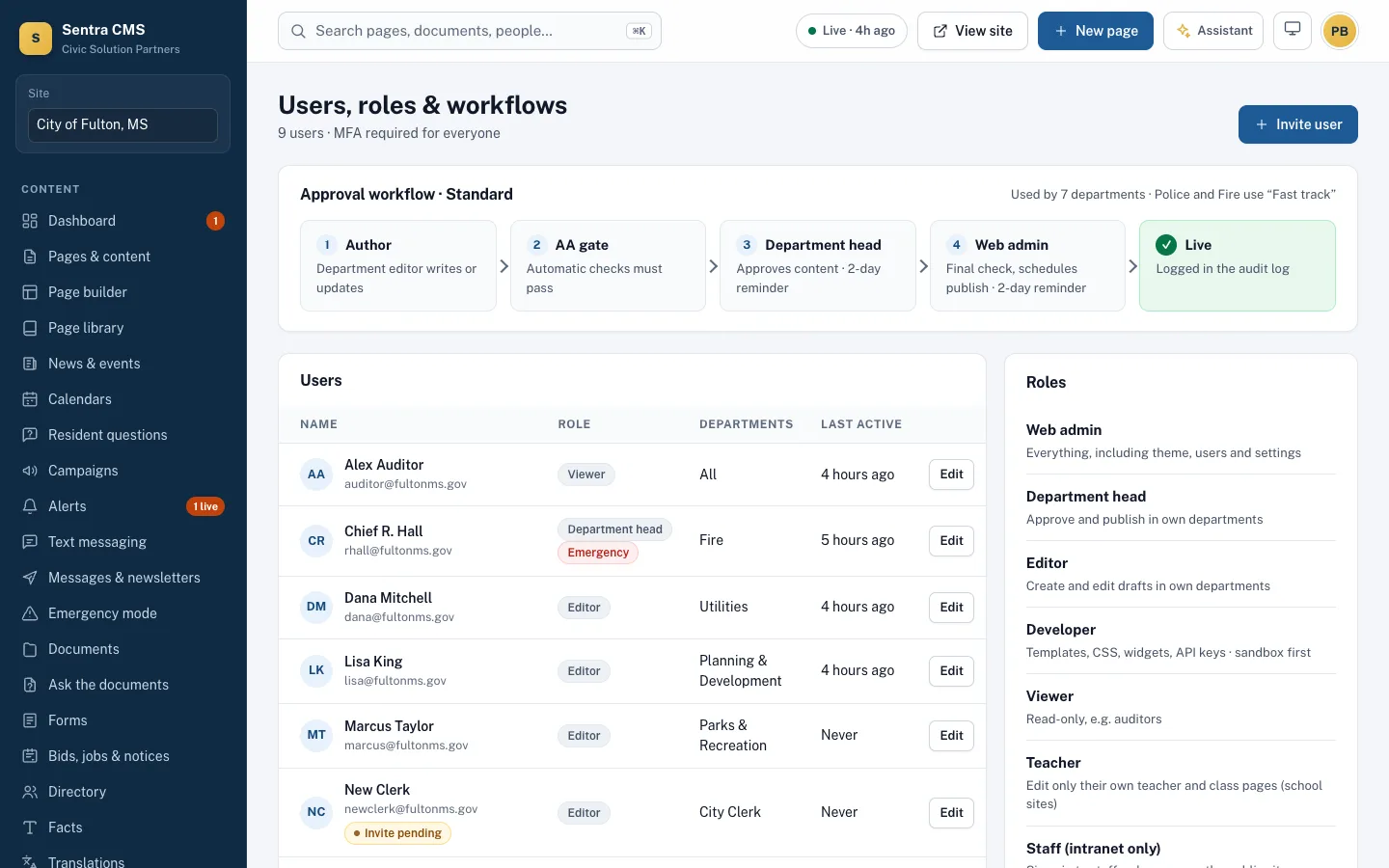
A normal day: a department updates its page
- Editor
Parks editor edits
She sees Parks pages, news and documents, and can’t change Police or Utilities.
- Automatic
Checked
WCAG 2.1 AA is checked before it can be sent for approval.
- Department head
Parks director approves
It lands in her approval queue with an email. A reminder follows if it waits.
- Automatic
Published
Live in about a minute, with who wrote and who approved it in the audit log.
On the site
Who can do what
Each person has one role per site, limited to the departments you assign.
Web admin
Runs the whole site: every department, menus, design, users and publishing settings.
Department head
Edits and approves for their own departments, and can publish their department’s alerts.
Editor
Edits pages, news, events, documents and forms for their departments. Can draft alerts for a head to send.
Developer
Works on the design: templates, theme and widgets, not content.
Viewer
Read-only access to reports, analytics and the audit log, for managers and auditors.
Emergency role
Added to anyone’s role. Sends alerts and switches emergency mode on alone, at any hour, without approval.
Each department decides who approves
Set an approval path per department: one step or several. Items show where they are, who sent them and whether checks passed.
- Email when something is waiting, and reminders if it sits
- Scheduled publish and unpublish dates
- Every approval recorded in the audit log

An emergency: one message, every channel
The people you give the Emergency role can act alone, any time. Nothing waits for an approval.
- Any hour
Something happens
A water main breaks, or the Weather Service issues a warning that becomes a draft alert.
- Emergency role
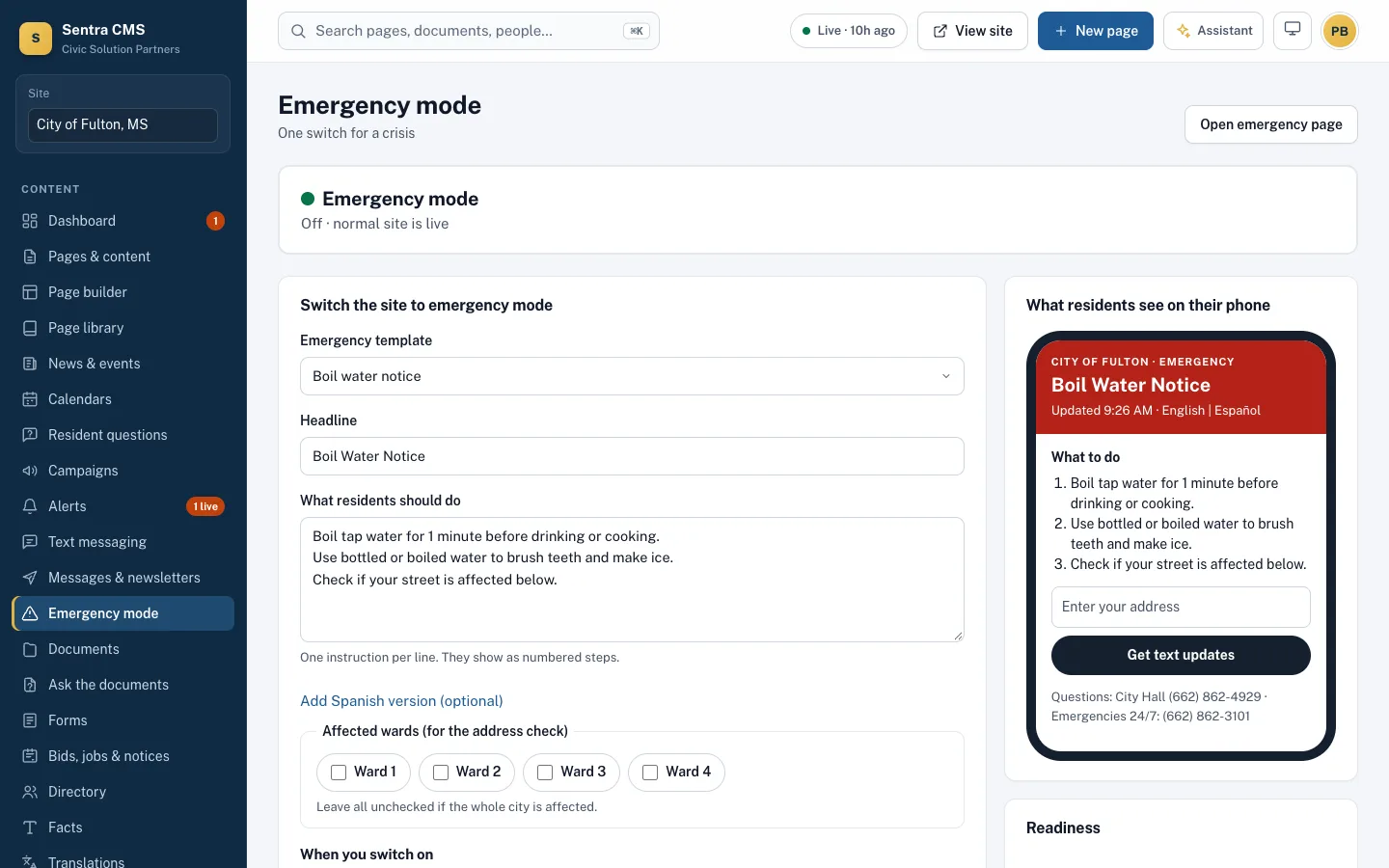
Pick a template
Reviewed ahead of time, in English and Spanish. Choose everyone or specific wards.
- Seconds
Send once
Banner, email, text, voice call and phone notifications go out together. No approval wait.
Every channel - Optional
Emergency mode
If needed, one switch makes the homepage a light emergency page that loads on a weak signal.
- Done
All clear
End the alert: the banner comes down and subscribers get a short all-clear.
In the audit log
Ready before you need them
Write and review templates for boil water, severe weather, flood and outages ahead of time. On the day, pick one, check the details and send.
- Website banner and pop-up on every page
- A light emergency page that loads fast on a weak phone signal
- Drills that don’t notify residents
Residents choose what they hear about
Residents sign up on your site for topics and wards, in English or Spanish. Alerts, newsletters and routine notices go out from your city’s own email and text accounts.
- Email through your own Resend account, texts from your own Twilio number
- Bounced and spam-flagged addresses unsubscribe automatically
- Text keywords like TRASH and MEETING answer common questions

Questions
Can someone work for two departments?
Yes. Assign a person to as many departments as they cover, and they see exactly those.
What if a department head is out?
A web admin can approve anything. Approvals that wait past their step’s limit send a reminder.
Can editors send an alert?
Editors can draft one. A department head or web admin sends it, unless the editor also has the Emergency role.
Whose name is on the emails and texts?
Your city’s. Email goes through your own Resend account and texts through your own Twilio number, so replies and costs stay with you.
How do residents sign up?
On your website: they pick topics, wards and language, and how they want to hear from you. Every message has a one-click unsubscribe.
Can we practice?
Yes. Emergency mode has drills that don’t notify residents, and every switch is recorded in the audit log.
See Sentra CMS with your own website
We’ll scan your current site for free, then show you what it looks like on Sentra CMS, accessible from day one.