From edit to live, with every change saved
Sentra CMS turns your staff’s edits into a plain HTML website in your own Git repository. Your server picks it up in about a minute, and every version is kept.
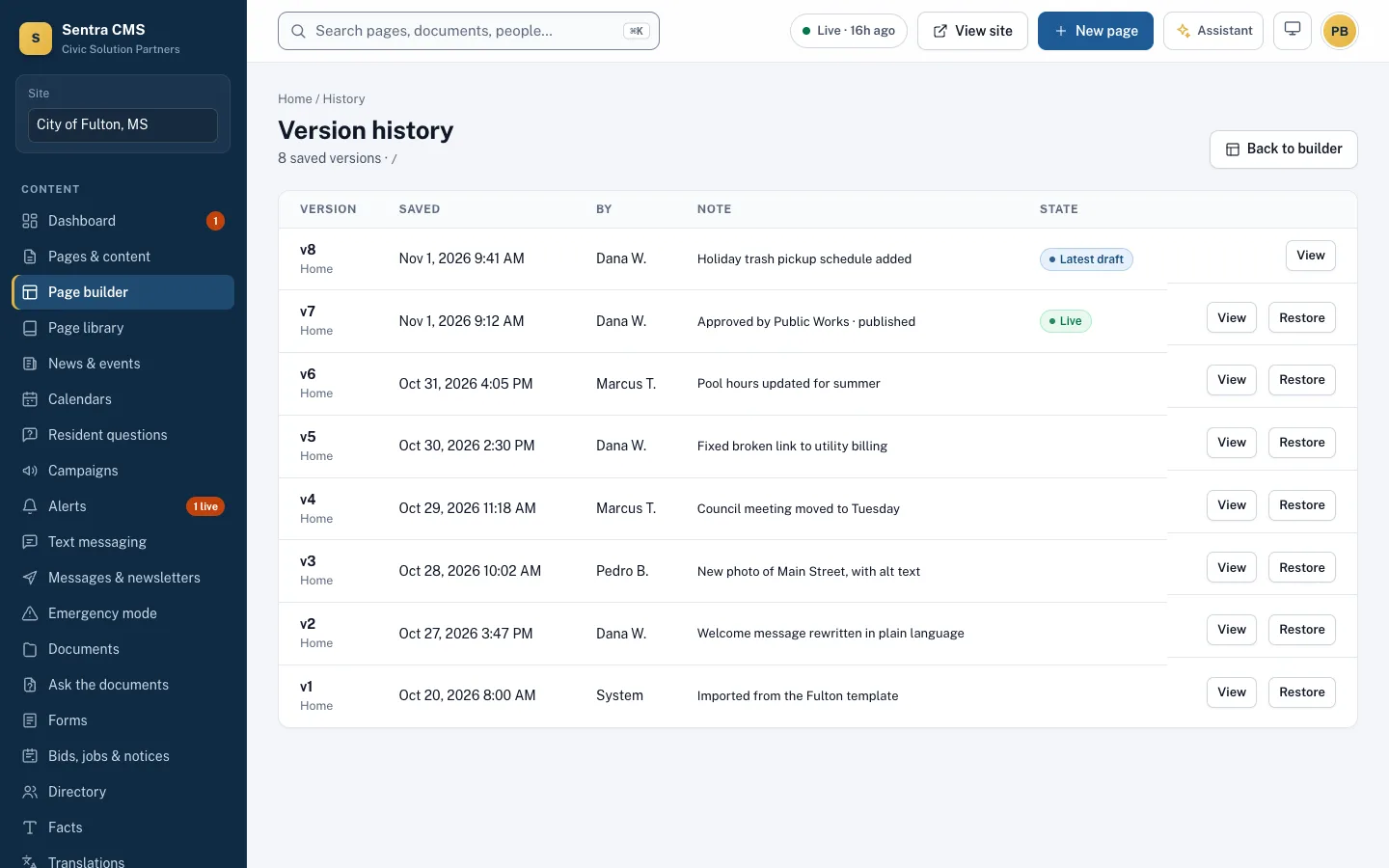
What happens when someone clicks Publish
- Your staff
Edit
Staff type right on the page, or edit the HTML directly. Every save is a new version.
- Automatic
Check
WCAG 2.1 AA is checked. Blocking problems must be fixed before the page can go out.
- Optional
Approve
A department head approves, if your workflow asks for it.
- One click
Publish
Sentra CMS builds plain HTML and commits it to your own Git repository.
A new revision - Your server
Live
Your web server picks up the new files on its own.
Live in about a minute
Plain HTML. Nothing on the public site to hack.
The public website is static files. There’s no database, no PHP, no plugins and no login page on it, so the usual ways city websites get broken into simply aren’t there. A typical WordPress site runs all of those on the same server that faces the public, and each one needs patching.
- No plugins to keep updated, and nothing to patch when a plugin flaw makes the news
- The admin lives at a separate address, behind two-factor sign-in
- Fast on any connection, and cheap to host and cache
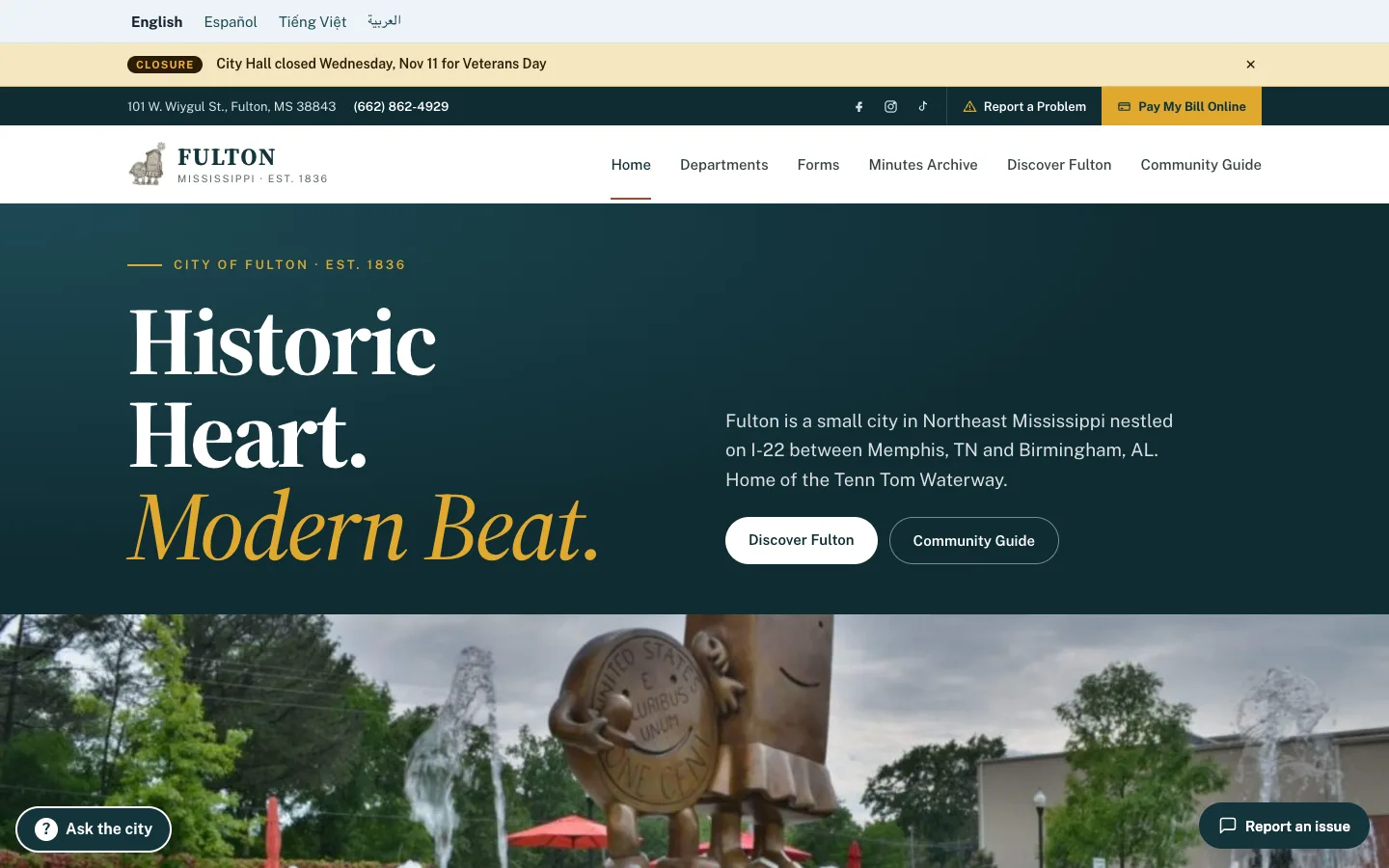
Every change is a revision
Each save keeps a version of the page, with who changed it and when. Each publish is a Git commit, so the whole site has a history too.
- Compare any two versions of a page
- Restore an old version in one click
- Every edit, approval and publish in the audit log
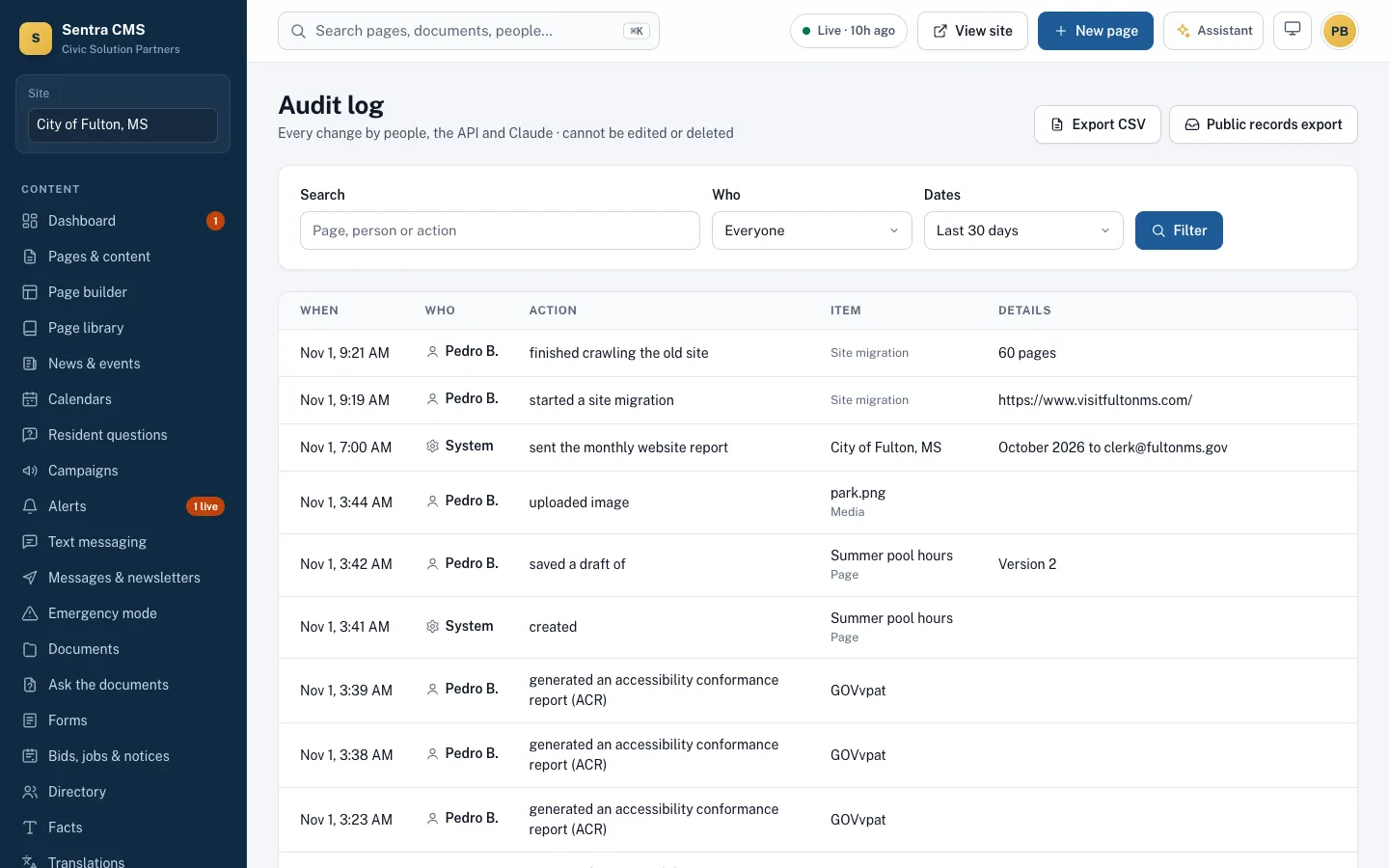
Undo a publish in one click
If something goes out wrong, roll the whole site back to the previous publish. The rollback is itself a new revision, so history is never rewritten.
- Draft previews on a separate branch, hidden from search engines
- Changes made close together go out as one publish
- Live status of the last publish on every screen
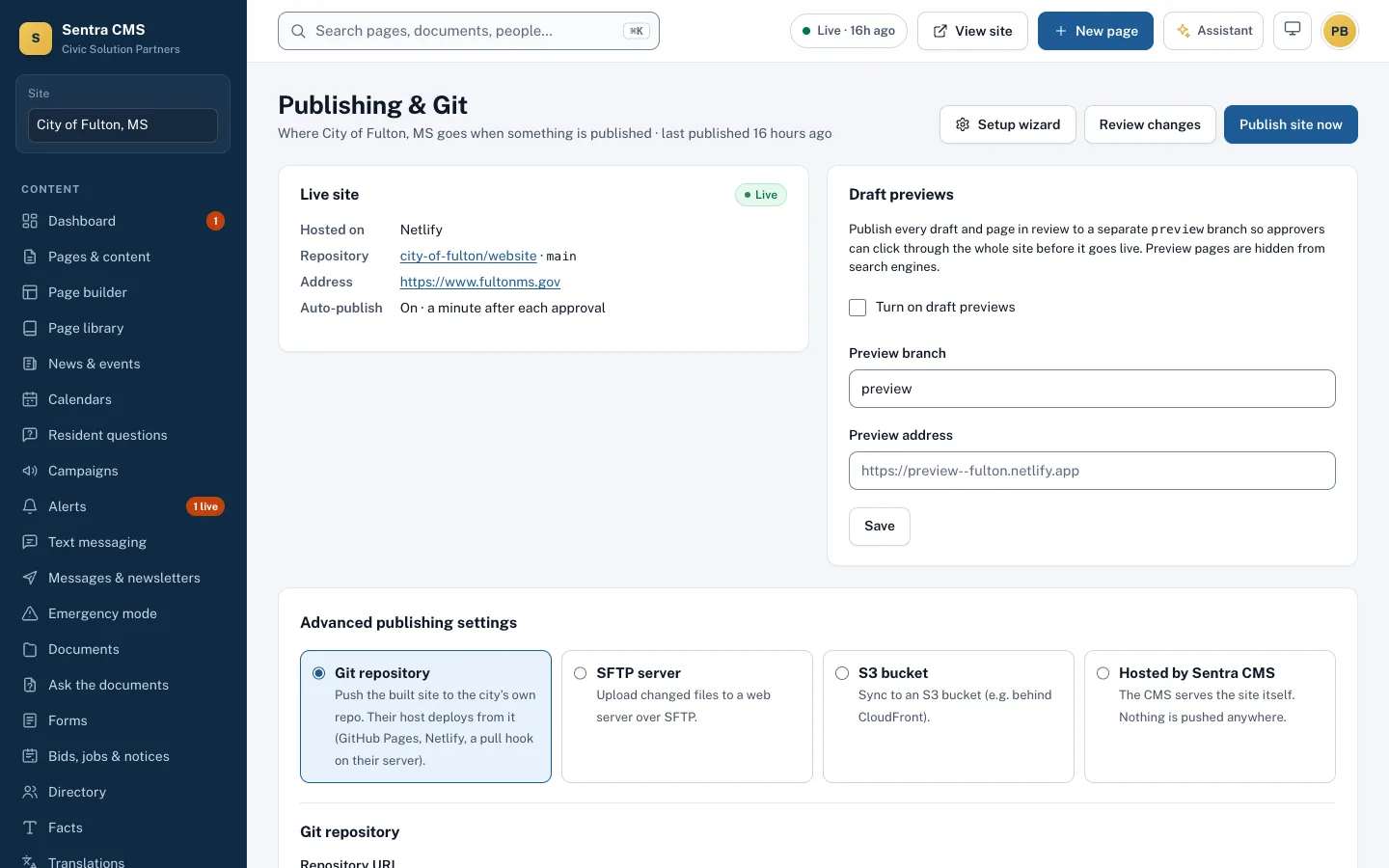
Your website doesn’t depend on us
It stays up if we don’t
Your website is plain files on your hosting. If the Sentra CMS admin is down for maintenance, residents never notice.
It’s yours if you leave
The repository and every revision in it belong to your agency. Walk away with the whole site and its history.
No proprietary format
HTML, CSS and images any web developer can open, today or in ten years.
Host it where you like
The same repository works with any of these. You can switch later without changing how staff edit.
Your own server
A small script on your server pulls the site from your repository every 30 seconds, using a read-only key.
GitHub or GitLab Pages
Free hosting straight from the repository, with your domain.
Netlify or Cloudflare Pages
Deploys from your repository, with preview links for drafts.
Amazon S3
Synced to a bucket, ready for CloudFront or another CDN.
SFTP
Changed files uploaded to any web server you already run.
Hosted by us
We serve the site from the United States, if you’d rather not host it.
In practice: the City of Fulton, Mississippi publishes from its own repository. A change made in Sentra CMS is on the live site about a minute later.
Read the Fulton storyQuestions from IT
What’s in the repository?
The published website: HTML pages, CSS, images, sitemap.xml, robots.txt and a redirects file. No passwords, no API keys and none of the Sentra CMS application code.
How does our server get updates?
The simplest setup is a small scheduled script that fetches the publish branch every 30 seconds with a read-only deploy key. Webhooks and CI pipelines work too.
What access does Sentra CMS need?
Permission to push to one branch of one repository. It never needs a login to your web server.
Can our own developers change the design?
Yes. Designers keep the design in its own repository; Sentra CMS imports changes and keeps editors’ content in place.
Can editors work in HTML?
Yes. Each page has an HTML editor with a live preview, next to the type-on-the-page editor. Either way, the accessibility check runs before publishing.
What gets audited?
Every edit, approval, publish and rollback, with who did it and when, in an audit log nobody can edit.
Moving from another platform? See how migration works.
See Sentra CMS with your own website
We’ll scan your current site for free, then show you what it looks like on Sentra CMS, accessible from day one.